 Askpert
How to Create an AI Agent Skill: 3 Ways to Build One
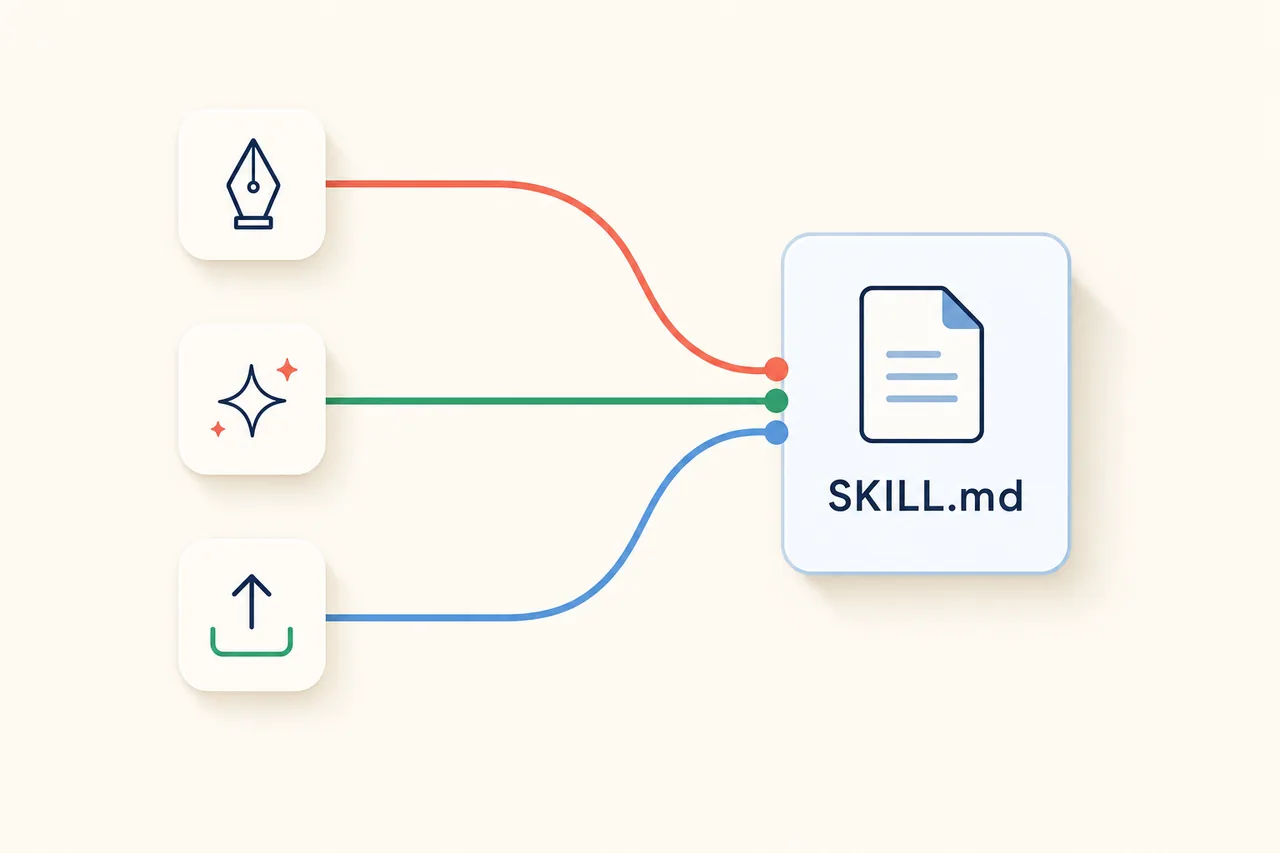
Create an AI agent skill three ways: write a SKILL.md by hand, generate it with an AI authoring agent, or upload a SKILL.zip. Plus how to attach, test, and seal it.
On this page
- What an AI agent skill is made of (30-second recap)
- The 3 ways to create a skill (pick by how much you want to write)
- How to write a description that actually fires
- Get it working: attach it to an assistant and test it
- Creating, uploading, and shipping a skill on Askpert
- Common questions
- Start building your first skill
Terms, definedthe jargon, decoded
- SKILL.md
- The one required file in a skill: a name and description up top, then plain instructions below.
- YAML frontmatter
- A few labeled lines at the very top of a file, between two marker lines, that hold settings like a name and a description.
- SKILL.zip
- A skill folder (the one containing your SKILL.md) zipped up, so an existing skill can be uploaded intact.
- Skill Studio
- Askpert's chat-based authoring tool that drafts a skill's files as you describe the job, with resumable drafts.
- Protected Expert
- An Askpert listing built from skills that runs server-side, so buyers get the answer and never see the underlying files.
You know what an AI agent skill is. Now you want your own. This walks through the actual build: the three ways to make a skill, the one field that decides whether it ever runs, and how to test it before you rely on it. Everything here works in any tool that supports skills, and where a step is specific to Askpert, that's called out.
What an AI agent skill is made of (30-second recap)
A skill is a folder. At its root sits SKILL.md, a plain-text file with two parts: frontmatter holding a name and a description, then a body of numbered instructions that tell the model how to do the job. Everything else is optional. A references/ folder holds docs the model can open when it needs detail, scripts/ holds runnable code, and assets/ holds files the skill uses, like a template or a logo. That's the whole shape. If you want the full definition of what a skill is and why it beats a raw prompt, start with the first post in this series, what an AI agent skill is. This piece assumes you're past that and ready to build. (Not sure the task deserves a skill at all? Six signals and a 20-minute payback rule settle it.)
Where the SKILL.md format comes from
The SKILL.md format, also called Agent Skills, started with Anthropic and its Claude models as an open way to give an assistant a reusable capability. It has since spread to other skill-aware tools. That history matters for one practical reason: because the format is an open folder convention rather than a proprietary file type, a skill you write is portable. The same folder can load into different assistants that support the format. You're not locked to one vendor, and you're not writing throwaway config.
The 3 ways to create a skill (pick by how much you want to write)
Three real paths lead to a working skill, and the right one depends on how much you want to write yourself. Hand-writing gives you the most control; it's best when you already know exactly what the skill should do. Generating it with an AI agent is fastest, especially if you're not a coder and would rather describe the job than format a file. Uploading reuses something you already built. None is more "correct" than the others. They land in the same place: a folder with a SKILL.md that an assistant can load. Here's each one.
1. Write it by hand: the universal path
This is the path that works everywhere. The steps are short:
- Make a folder and name it for the skill (for example,
google-ads-audit). - Create a
SKILL.mdinside it. Add frontmatter with anameand adescription, then write the instructions as a numbered list. - Add a
references/file only if the model genuinely needs extra material to do the job well, like a checklist or a scoring rubric. Skip it if the instructions are enough.
That's a working skill. Here's a minimal skeleton you can copy:
1. Pull the last 30 days of campaign, ad group, and search-term data.
2. Flag any campaign with cost above $50 and zero conversions.
3. Check search terms for irrelevant matches and list negatives to add.
4. Return the top 5 fixes, ordered by estimated wasted spend.
Four instruction lines is a real skill, not a toy. Keep the steps concrete and ordered the way you'd actually do the work.
If you already spend your day in a code editor, you have an advantage here. The coding assistants you already use can draft the SKILL.md, run it, and let you correct it in the same place you keep the rest of your files. You write a step, test it against a real input, tighten it, repeat. Hand-writing is the right call when you know precisely what you want and would rather state it than have a model guess.
2. Generate it with an AI authoring agent
If you don't want to format a file at all, describe the job in plain language and let an agent draft the SKILL.md and the supporting files for you, then refine what it produces. This is the fastest route for non-coders, because you're explaining your method the way you'd explain it to a new hire instead of writing markdown. The drafting agent can itself be a rented one: the Askpert Skill Creator Specialist does this job over MCP from whatever assistant you already use.
On Askpert this is the Skill Studio. You open a chat, describe the workflow you want to package, and the studio streams a draft of the SKILL.md and any supporting files as it writes, so you watch the skill take shape and steer it as it goes. Drafts are resumable, so you can leave halfway through and pick up where you left off instead of starting over. You still own the result: read what it wrote, fix the steps that don't match how you actually work, and add detail where the draft is thin.
Open the Skill Studio and describe your workflow.
3. Upload a SKILL.zip you already have
If you already have a skill built somewhere else, you don't need to rebuild it. Zip the folder (the one containing your SKILL.md) into a SKILL.zip and upload it as-is. Askpert accepts a SKILL.zip upload, so an existing skill comes in intact, folders and all. This is the shortest path when the work is already done and you just want it on the platform. Once it's uploaded you can edit it like any other skill.
Bonus: improve or fork an existing skill
A blank page is the slowest place to start. If a good skill already exists that's close to what you need, begin from it and adapt. Askpert supports improving or forking an existing skill, so you can take a solid starting point and change the parts that don't fit your case rather than writing every instruction from scratch. When a near-match exists, forking beats starting cold: you inherit structure and steps someone already got right.
How to write a description that actually fires
Here is the field most guides skip, and it's the one that decides whether your skill ever runs. The model reads the description to decide whether to load the skill for a given request. If the description is vague, the skill sits there unused while the model answers on its own. If it's precise, the skill fires at the right moment. (That loading decision is worth understanding on its own; the second post in this series covers it in progressive disclosure.)
So write the description to do two things: name the task, and name when to use it, in the exact words a real user would type.
Weak:
Helps with marketing.
Strong:
Audit a Google Ads account and return prioritized fixes; use when the user shares ad-account data or asks why spend isn't converting.
The strong version tells the model both the job (audit an account, return prioritized fixes) and the trigger (someone shares ad data or complains that spend isn't converting). A few rules that keep descriptions firing:
- Put the trigger words a user would actually say. "Why isn't my ad spend converting" beats "marketing optimization."
- One job per skill. If a description lists three unrelated tasks, the model can't tell when to reach for it. Split it.
- Cut the marketing language. "Best-in-class growth engine" tells the model nothing about when to load the skill. State the task plainly.
Get it working: attach it to an assistant and test it
A skill you never test is a guess. Attach the skill to an AI assistant or Expert, then run a real task, not a made-up one. Watch two things. First, did the description trigger the skill at all? If the assistant answered without loading it, your description is too vague; go back and sharpen the trigger words. Second, did the instructions produce the output you wanted? If step 3 gets skipped or the format is off, fix the instruction, not the prompt around it.
Creating, uploading, and shipping a skill on Askpert
Everything above works in any tool that reads skills. Askpert adds the one thing a plain folder can't: it seals the skill, so you can rent out the method without handing over the file. Here is the end-to-end flow, from a blank skill to something buyers can call.
Sealed instruction packages, generated from your knowledge or uploaded as SKILL.zip. Buyers can call them, never read them.
- Open your Skills and pick a path. Your Skills list is home base, and it starts a new skill two ways: Create a Skill, which opens the Skill Studio, and Upload SKILL.zip for something you already built.
- Author it with the agent, or upload what you have. In the Skill Studio you describe the workflow in plain language and the agent drafts the
SKILL.mdand any supporting files as it writes, so you steer it as it goes and can resume a draft later instead of starting over. Already have a folder? Upload SKILL.zip brings it in intact, subfolders and all. Have a close-enough skill in your list already? Improve it to fork a copy and adapt it rather than starting from blank. - Refine and save. Read what the agent wrote, fix the steps that do not match how you actually work, and sharpen the description until it names the task and the trigger. Your skill lands in the list as Ready or Draft, and you can open it any time to edit the files in place.
- Attach it to an Expert and test it. A skill does its job through an Expert, which is the callable unit buyers rent. Attach the skill while you compose the Expert, then run a real request on the test bench and watch the same two things as before: did the description trigger it, and did the steps produce the output you wanted.
- Inspect, then publish. Askpert inspects the Expert before it can go live, and publishing freezes an immutable snapshot, so what buyers call stays fixed until you re-inspect and republish. A published skill cannot be quietly changed underneath the people paying for it.
Common questions
Do I need to know how to code to create a skill?
No. A skill is plain-language instructions in a SKILL.md file, so you can write one by hand without touching code, or describe the job and let an AI authoring agent draft it. Coding only enters the picture if your skill bundles a script to run a step deterministically, and even then the AI can write it for you.
How long should a SKILL.md be?
As short as it can be while still doing the job. A few clear, ordered steps is a real skill. Keep the body compact and push long reference material into separate files the model opens only when a step needs them. Why that matters is the subject of progressive disclosure.
Can I use the same skill in more than one assistant?
Yes. The SKILL.md format is an open folder convention, so a skill you write is portable across skill-aware tools. You're choosing a capability, not betting on one vendor.
What actually makes a skill run?
Its description. The model decides whether to load a skill by reading the description, so naming the task plus the words a real user would type is the make-or-break step. A sharp description fires; a vague one sits unused with no error to tell you why.
Start building your first skill
Start with the smallest method you already repeat by hand. Write it up as a SKILL.md, give it a description sharp enough to trigger on the right task, then test it against a real one. That's the whole series in practice: you now know what a skill is, why it loads the way it does, and how to build one.
If you want to author a skill, seal it, and optionally sell the method behind it, that's what Askpert is for. Create an account and build your first one.